
Download OpenAudible – free Audible manager, audiobook converter, library organizer
Overview
OpenAudible is a completely free, open‑source companion designed specifically for Audible enthusiasts who want total control over their audiobook library. Unlike the native Audible app, OpenAudible lets you download, convert, and manage every title you own from a single, intuitive hub. Whether you prefer MP3 for universal playback, M4B for chapter marks, or the original AAX format for high‑fidelity listening, OpenAudible handles the conversion with a single click.
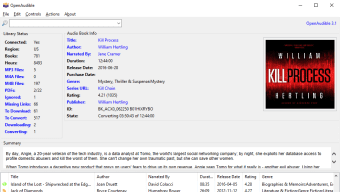
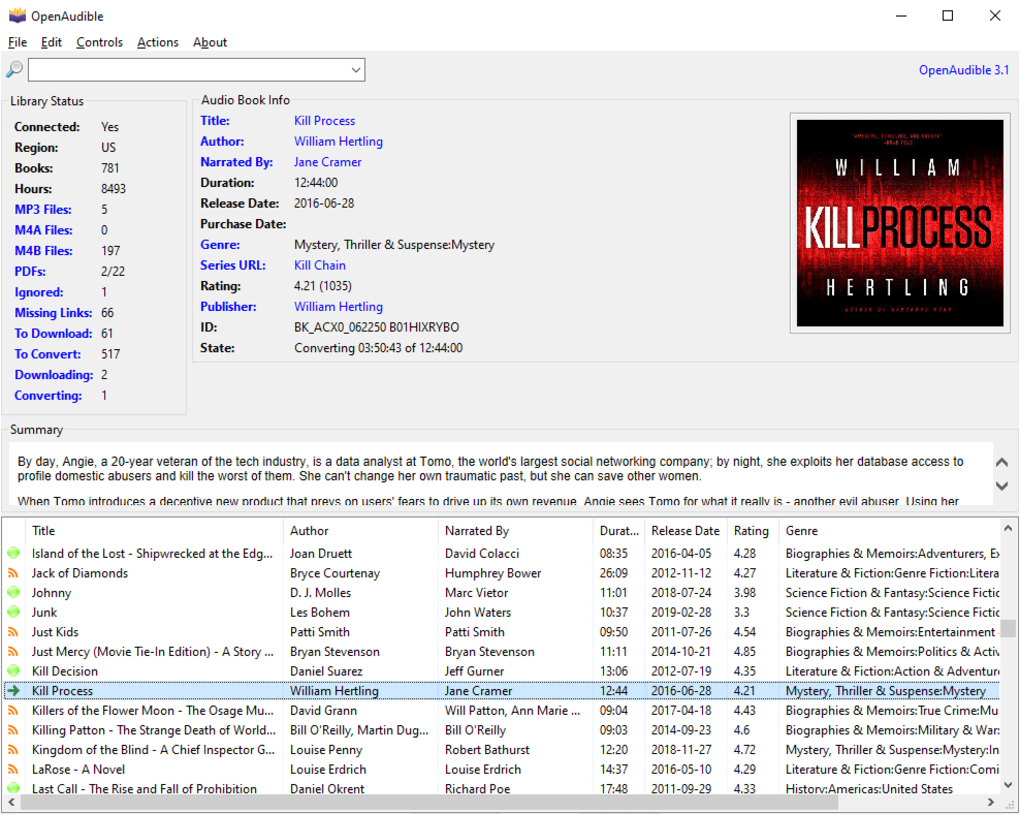
Once you link your Audible account, the software automatically syncs your purchases, updates the library whenever a new book is added, and displays rich metadata such as title, author, narrator, genre, rating, and purchase date. This makes it far easier to browse, sort, and locate the exact audiobook you want without scrolling through endless pages on the Audible website. The tool also offers advanced chapter editing – you can split a long novel into individual chapters for easier navigation or merge multiple files into a single audiobook for seamless playback on devices that don’t support chapter jumps.
While OpenAudible focuses purely on audiobooks (it does not handle Audible podcasts), its robust feature set, cross‑platform compatibility, and zero‑cost model make it the go‑to solution for anyone serious about building a personal, portable, and perfectly organized audiobook collection.
Key Features & Benefits
- Free, open‑source software – No hidden fees, no subscription, and regular community‑driven updates keep the app secure and up‑to‑date.
- One‑click download and sync – Connect your Audible account and let OpenAudible automatically pull new purchases into your local library.
- Multi‑format conversion – Convert AAX files to MP3, M4A, or M4B, giving you playback flexibility across Windows, macOS, Android, and iOS devices.
- Rich metadata display – View title, author, narrator, duration, genre, rating, publisher, and purchase details at a glance.
- Chapter editing tools – Split books by chapter, merge multiple files, or reorder chapters without re‑encoding the entire file.
- Cross‑platform support – Native desktop builds for Windows 10/11, macOS 10.15+, and Linux distributions ensure every user can benefit.
- Secure account linking – Uses OAuth tokens; your Audible credentials are never stored in plain text.
- Batch processing – Queue multiple downloads or conversions to run in the background while you work.
- Lightweight UI – A single‑window interface reduces clutter and speeds up navigation, even on older machines.
- Extensible via plugins – Community‑maintained plugins add extra functionality such as custom naming schemes or integration with media players.
These features translate into real‑world benefits for everyday listeners. For instance, the ability to convert to MP3 means you can transfer audiobooks to any portable player, car stereo, or smart speaker without worrying about DRM restrictions. The automatic sync saves you time: as soon as you buy a new title on Audible, it appears in OpenAudible ready for download.
Chapter splitting is a lifesaver for long non‑fiction works where you only need to listen to specific sections. And because the software is free and open‑source, you receive regular security patches and feature enhancements without ever being prompted to purchase a “premium” upgrade. In short, OpenAudible turns a fragmented Audible experience into a streamlined, fully controlled audiobook ecosystem.
Installation, Usage & Compatibility
Quick Installation Steps
Getting OpenAudible up and running takes just a few minutes. First, visit the official OpenAudible website and download the installer that matches your operating system. For Windows users, an executable (.exe) file is provided; macOS users receive a signed .dmg package; Linux fans can grab a .deb or .rpm, or compile from source if they prefer. Once the installer is saved, run it and follow the on‑screen prompts – the process is completely automated, and no additional dependencies are required.
First‑time Setup and Account Linking
After installation, launch OpenAudible. The initial screen presents a clean, single‑window layout with a top menu bar. Click File → Import Books to add existing AAX, MP3, or M4B files from your hard drive.
To sync with Audible, choose Tools → Connect Audible Account. You’ll be redirected to a secure Audible login page where you enter your credentials; OpenAudible then stores an encrypted token, never the raw password. Once connected, the application pulls a list of all purchased titles, showing each entry with detailed metadata such as author, narrator, length, and purchase date.
You can filter, sort, or search this list instantly.
Downloading and Converting Audiobooks
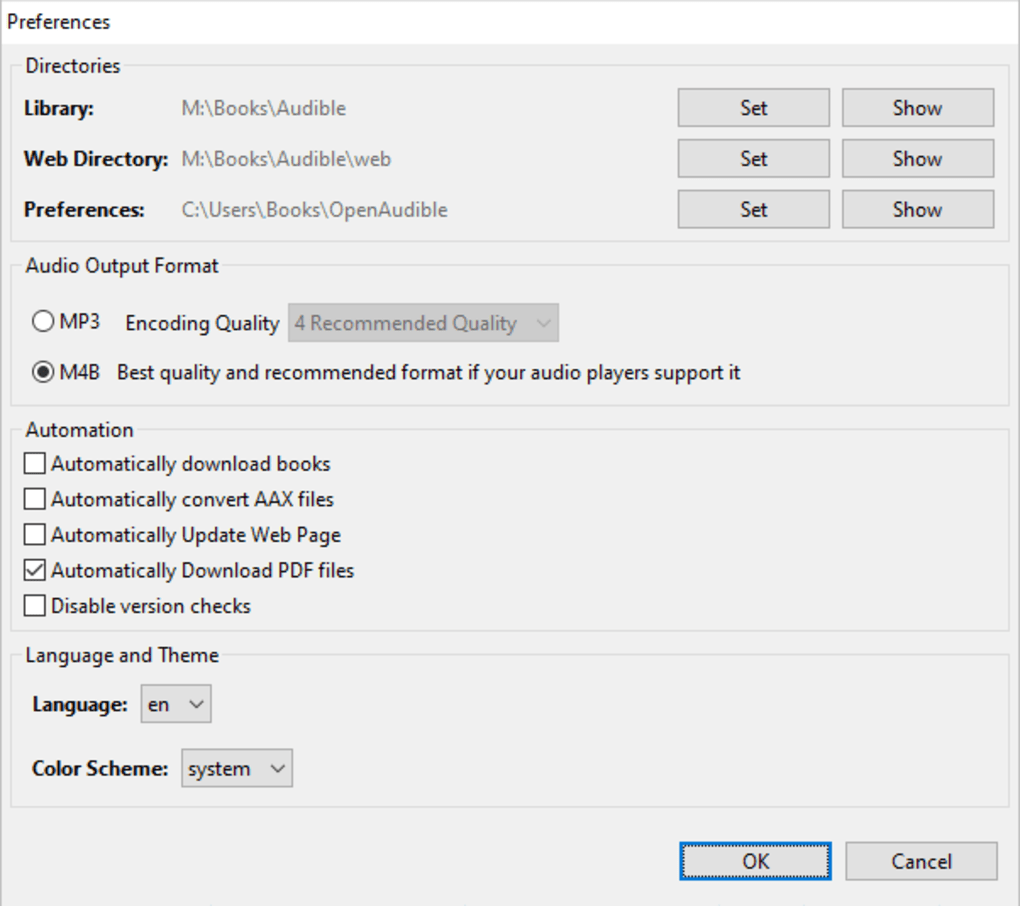
To download a new book, simply check the box next to its title and click the Download button. OpenAudible contacts Audible’s servers, retrieves the AAX file, and stores it in your designated library folder. Conversion is equally straightforward: select one or more downloaded titles, click Convert, and choose the desired output format (MP3, M4A, or M4B). The conversion engine runs in the background, and a progress bar keeps you informed. When finished, the newly created files appear alongside the originals, ready for playback on any device.
Operating System Compatibility
OpenAudible is built with Java and Qt, which guarantees native performance on the three major desktop platforms:
- Windows – Supports Windows 10 and Windows 11 (both 64‑bit). The installer includes all necessary runtimes, so no extra downloads are required.
- macOS – Compatible with macOS 10.15 Catalina and later, including Apple Silicon (M1/M2) devices. The .dmg package is notarized by Apple for a secure install.
- Linux – Available as .deb for Debian/Ubuntu, .rpm for Fedora/OpenSUSE, and a portable AppImage for other distributions.
While OpenAudible itself is a desktop application, the converted MP3 or M4B files can be transferred to Android or iOS devices via USB, cloud sync services, or directly streamed to compatible audio players. This cross‑platform flexibility ensures that your audiobook library follows you wherever you go.
Pros & Cons
Advantages
- Completely free – No subscription, no hidden costs.
- Secure account linking – Uses OAuth; credentials never stored in plain text.
- Automatic library sync – Keeps your local collection up‑to‑date with Audible purchases.
- Powerful conversion engine – Supports MP3, M4A, and M4B output.
- Robust chapter editing – Split or merge chapters without re‑encoding.
- Cross‑platform desktop support – Runs on Windows, macOS, and Linux.
- Open‑source community – Frequent updates and transparent development.
- Batch processing – Queue multiple downloads and conversions.
Limitations
- Does not display or manage Audible podcasts or free content subscriptions.
- No native mobile app – you must transfer converted files manually to Android/iOS devices.
- Initial sync may take time for large libraries with hundreds of titles.
- Advanced features (e.g., custom naming schemes) require manual configuration or plugins.
- Requires Java runtime on some Linux distributions if not using the bundled AppImage.
Overall, OpenAudible delivers a feature‑rich, secure, and cost‑free solution for managing Audible audiobooks. Its few shortcomings are outweighed by the flexibility it offers power users and casual listeners alike.
FAQ & Conclusion
Is OpenAudible completely free or are there hidden fees?
OpenAudible is 100 % free and open‑source. There are no subscription plans, in‑app purchases, or hidden fees. All features, including batch conversion and library sync, are available to every user.
Can I use OpenAudible on a Mac with an M1 chip?
Yes. The macOS .dmg package is universal and runs natively on both Intel and Apple Silicon (M1/M2) Macs. The installer is notarized by Apple for a secure install.
Does OpenAudible handle Audible podcasts?
No. OpenAudible focuses solely on audiobooks. Podcast subscriptions remain accessible only through the official Audible app or website.
What output formats are supported for conversion?
OpenAudible can convert Audible’s proprietary AAX files into MP3, M4A, and M4B. MP3 offers the widest compatibility, while M4B retains chapter markers for supported players.
Is my Audible login information safe when I connect the account?
Yes. OpenAudible uses OAuth authentication, storing only an encrypted access token. Your username and password are never saved or transmitted in plain text.
In conclusion, OpenAudible stands out as the most comprehensive free tool for anyone who wants to download, convert, and fully manage their Audible audiobook collection. Its seamless sync, powerful conversion engine, and intuitive chapter editing give you far more control than the standard Audible app. While it doesn’t support podcasts and lacks a dedicated mobile client, the ability to export files in universally compatible formats means you can enjoy your books on any device—Windows, Mac, Android, or iOS. If you’re looking for a secure, regularly updated, and cost‑free solution to keep your audiobooks organized, download OpenAudible today and take the first step toward a truly personalized listening experience.







